

Search Land Register (Whole Building)
To facilitate searchers to place bulk orders of land registers (e.g. all units of a building or multiple floors), the IRIS Online Services is enhanced to introduce a new online bulk search function "Search Land Register (Whole Building)".
Key Features
- Support search of all units of a whole building (select "ALL BLOCK(s)" in "Block" field); or of a particular block or floor (select specific Block in "Block" field or further selection of Floor)
- Login with iAM Smart (or digital certificate) is required
- Delivery method of "By Download" only
- Land registers (plain copy) in PDF format in zip file
- Order up to 500 land registers for each transaction
- Service cut-off time at 23:00
Example 1: Search all units of a whole building
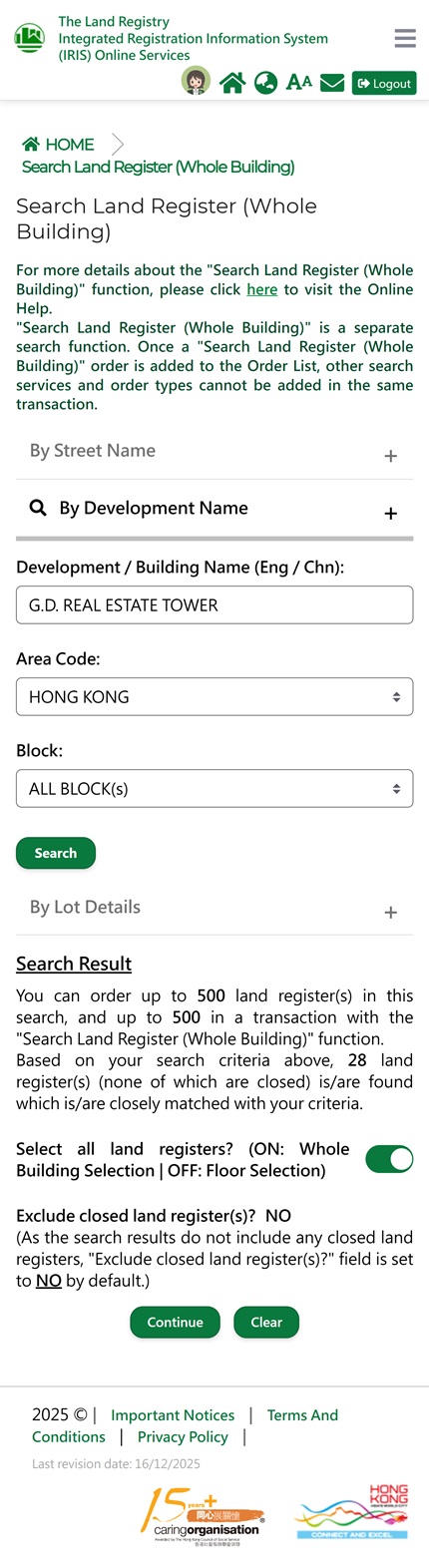
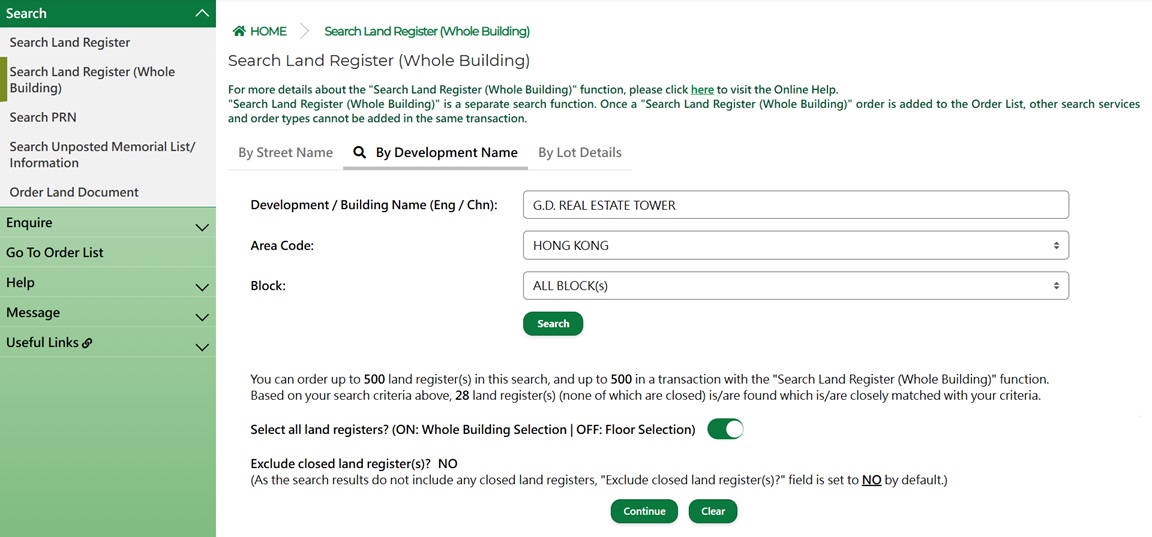
Figure 1: Search all units of a whole building
- Click "Search Land Register (Whole Building)" from the menu bar
- Login with iAM Smart (or digital certificate) is required
- Choose the search option (by Street Name / Development Name / Lot Details) and search the required building
- Select "ALL BLOCK(s)" for a whole building and click "Search"
- Click "Continue" to proceed with type of enquiry (Current or Full) selection
Example 2: Search units of multiple floors

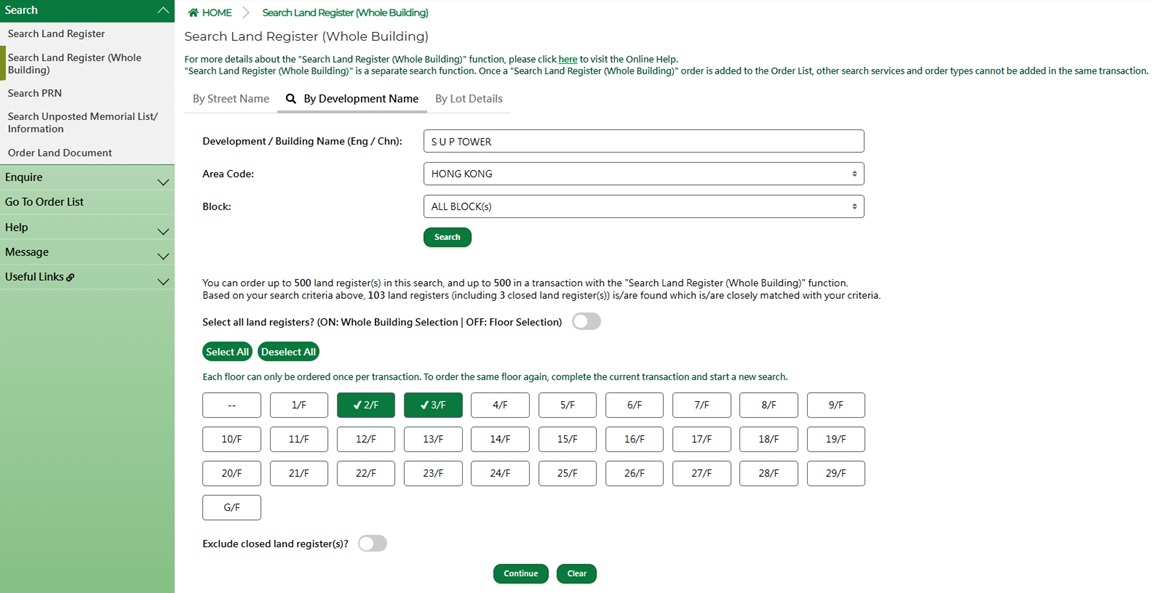
Figure 2: Search units of multiple floors
- Click "Search Land Register (Whole Building)" from the menu bar
- Login with iAM Smart (or digital certificate) is required
- Choose the search option (by Street Name / Development Name / Lot Details) and search the required building
- Select the required block and click "Search"
- Click "Select all land registers?" toggle button to switch off the function for displaying the Floor List and select floor(s)
- Click "Continue" button to proceed with type of enquiry (Current or Full) selection